

Product Analysis
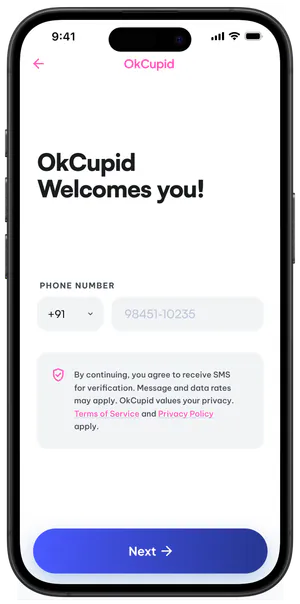
We analysed OkCupid’s experience from sign-up to matchmaking to understand how the platform works and where friction occurs.
OkCupid Case Study
Rebuilding confidence through onboarding, transparency, and meaningful matching
Overview
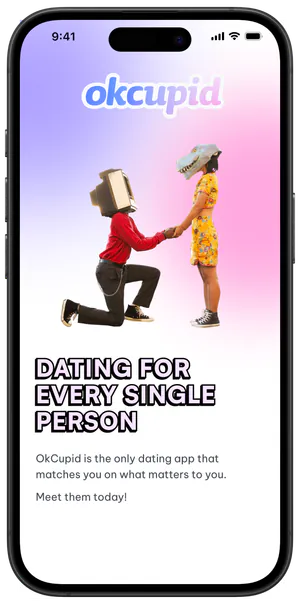
OkCupid is a dating app that uses a question-based matching algorithm to help users find compatible people.
As part of a 2-week academic UX design sprint, our team explored how users understand and trust OkCupid’s matching experience.
Through research and usability testing, we found that match scores often lacked the context users needed to understand compatibility, leading us to rethink the experience.
Timeline
 14812 Days
The Problem
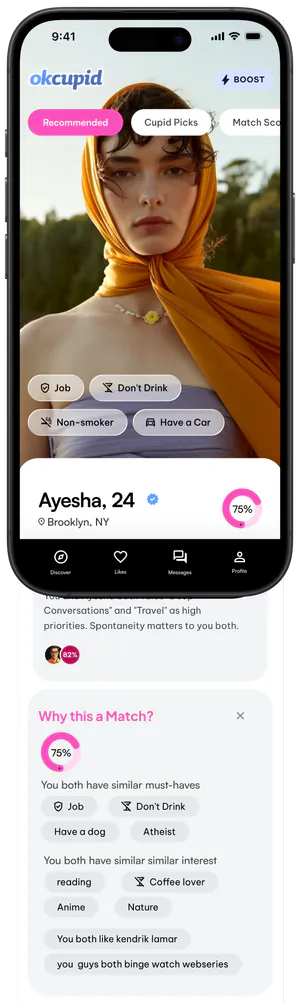
Users do not trust the app’s profile Match Score. This creates a fundamental Trust Gap, as they do not believe the score is a genuine or accurate reflection of compatibility.
We analysed OkCupid’s experience from sign-up to matchmaking to understand how the platform works and where friction occurs.

We explored customer reviews, Reddit discussions, and competing platforms to understand common experiences and expectations around dating apps.

We conducted user testing and semi-structured interviews through in-person conversations, calls, and text to uncover behaviours, expectations, and pain points.

We looked beyond the app to understand how people experience dating in real life and how those behaviours compare with digital dating.
We went through OkCupid from sign-up to matchmaking to understand how users move through the app, where they lose control, and where the system creates friction.
Users must complete flows or lose progress
Users must complete flows or lose progress
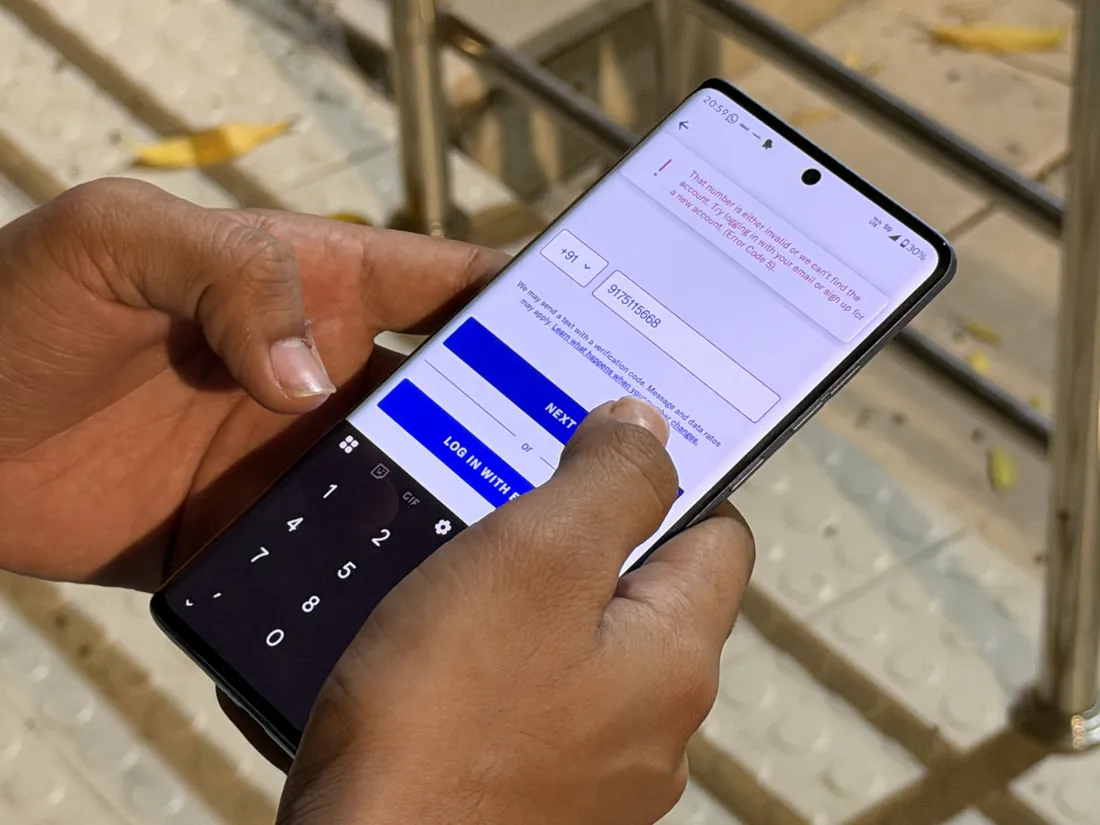
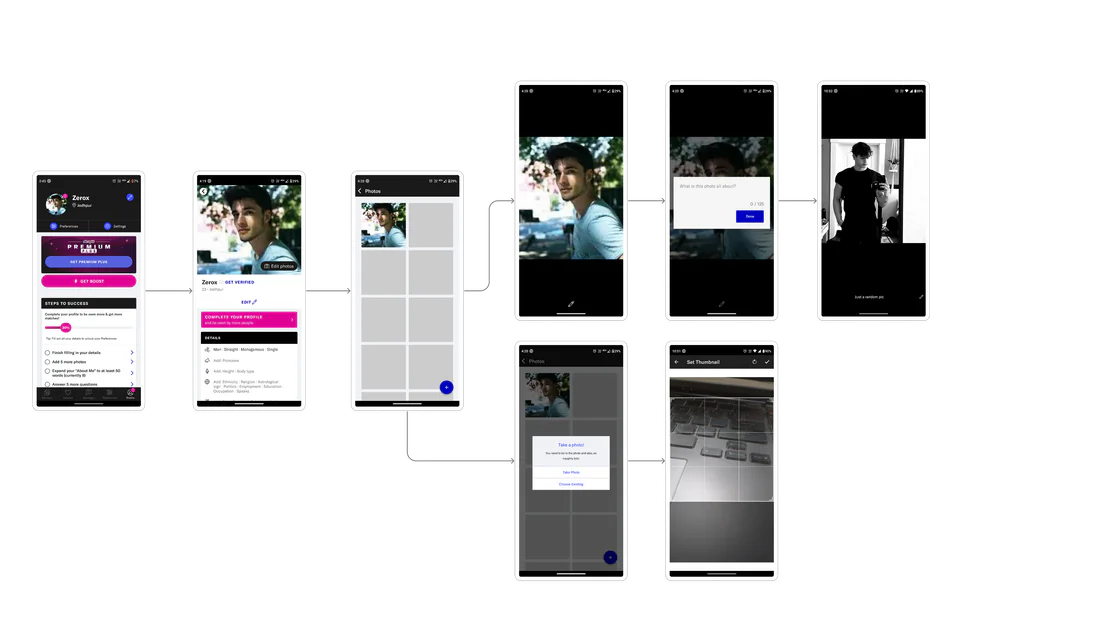
Users can’t easily go back during onboarding, making it difficult to review or change
Limited control over profile actions
Limited control over profile actions
Editing isn’t always intuitive. For example, clicking the edit icon on a profile photo opens an option to add a caption instead of changing or deleting the photo.
Paywalls interrupt core interactions
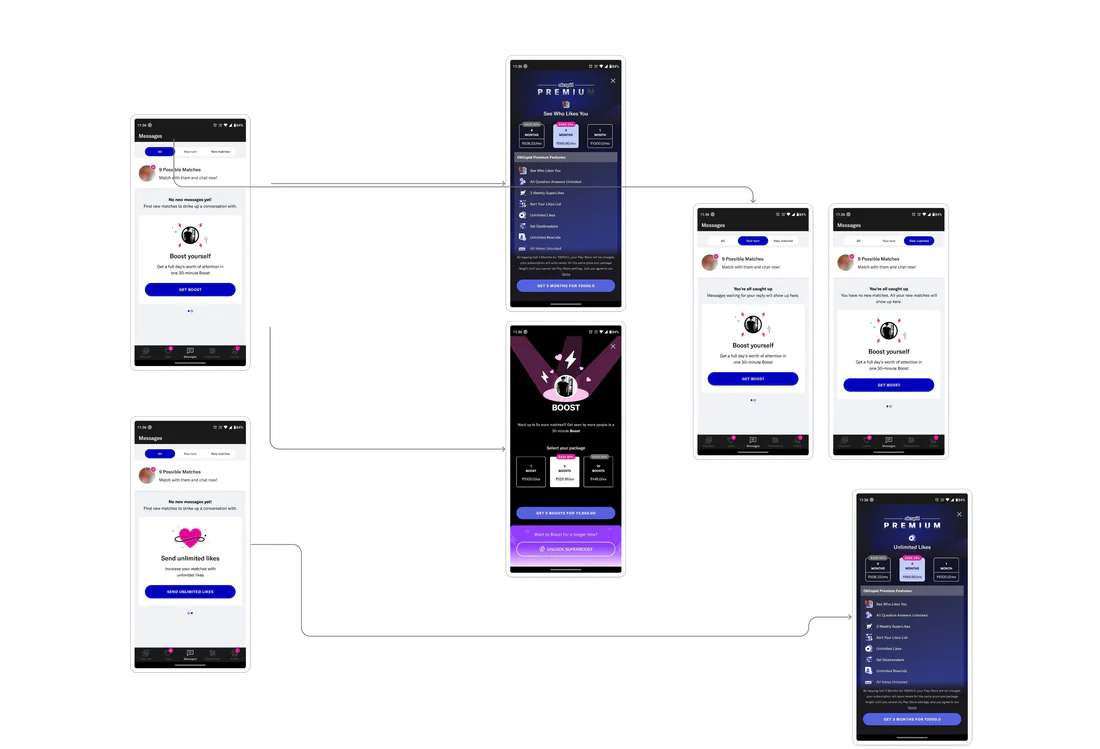
Paywalls interrupt core interactions
Premium prompts appear during key interactions, interrupting the flow and making basic actions feel restricted.
Hidden system behaviour
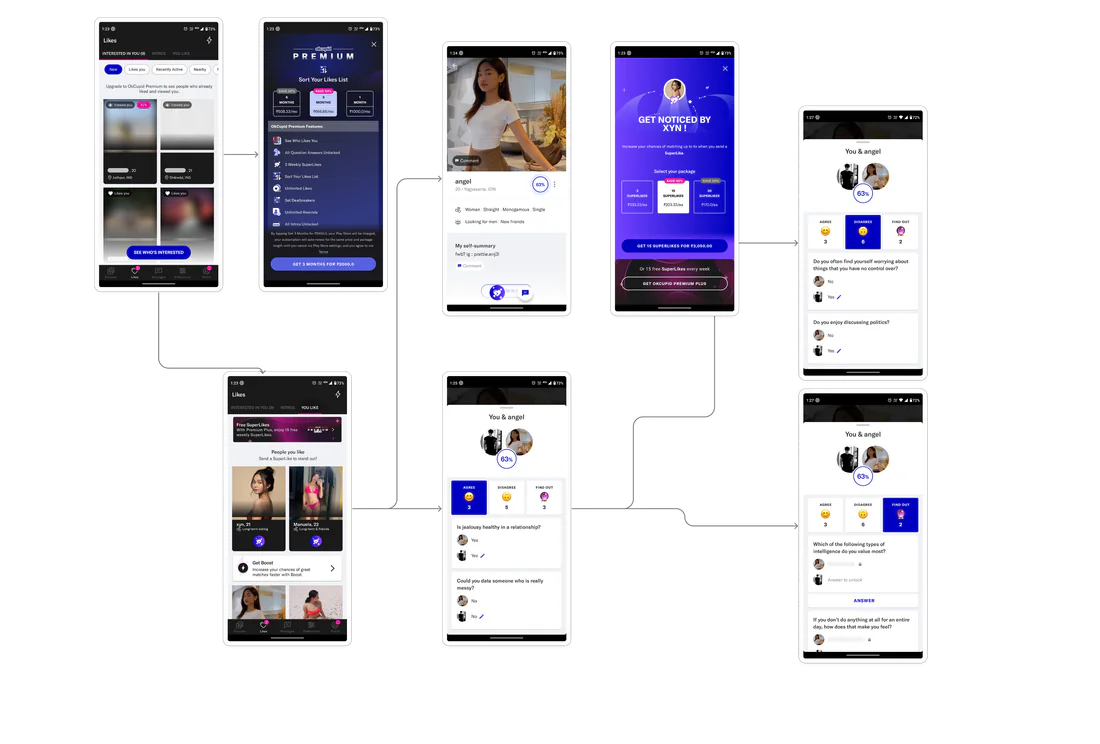
Hidden system behaviour
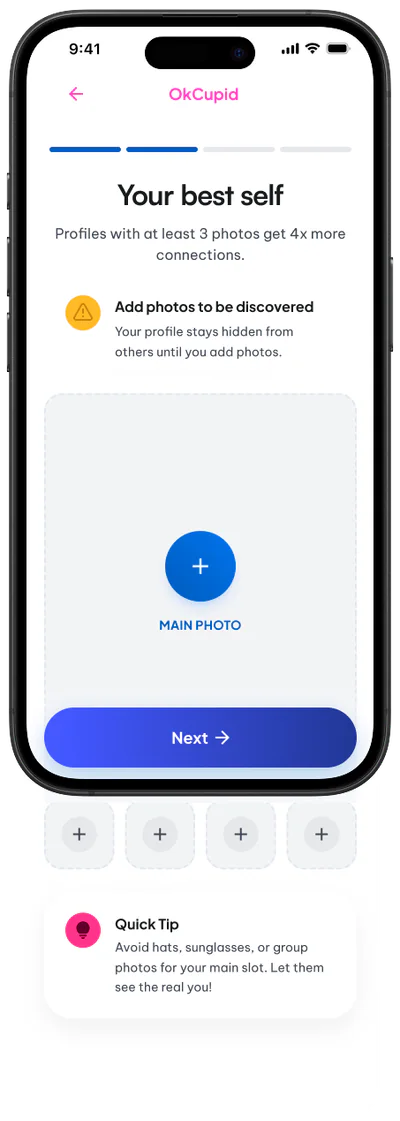
Users aren’t told that having too few profile photos can affect their visibility, making the system feel unpredictable and unclear.
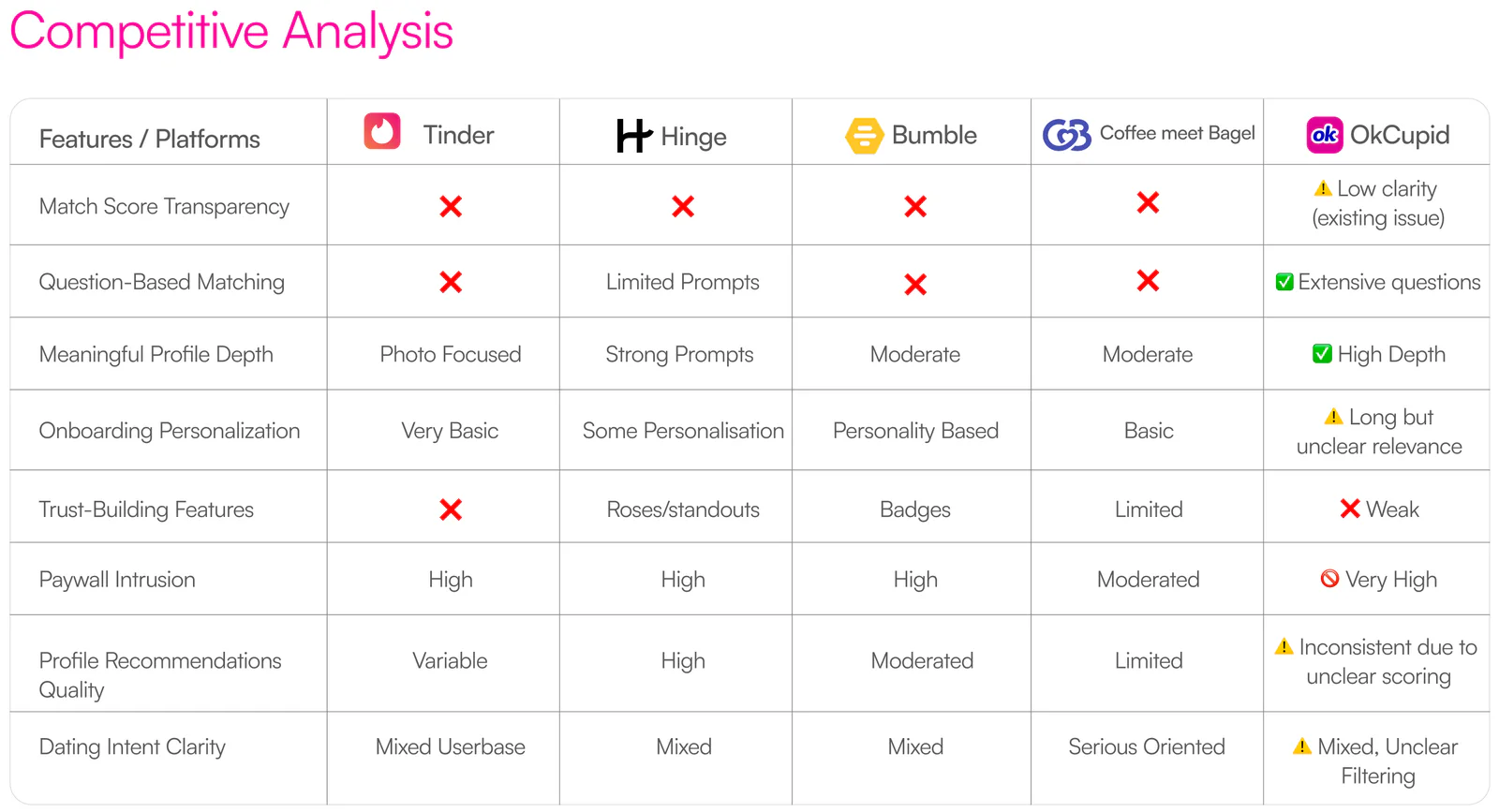
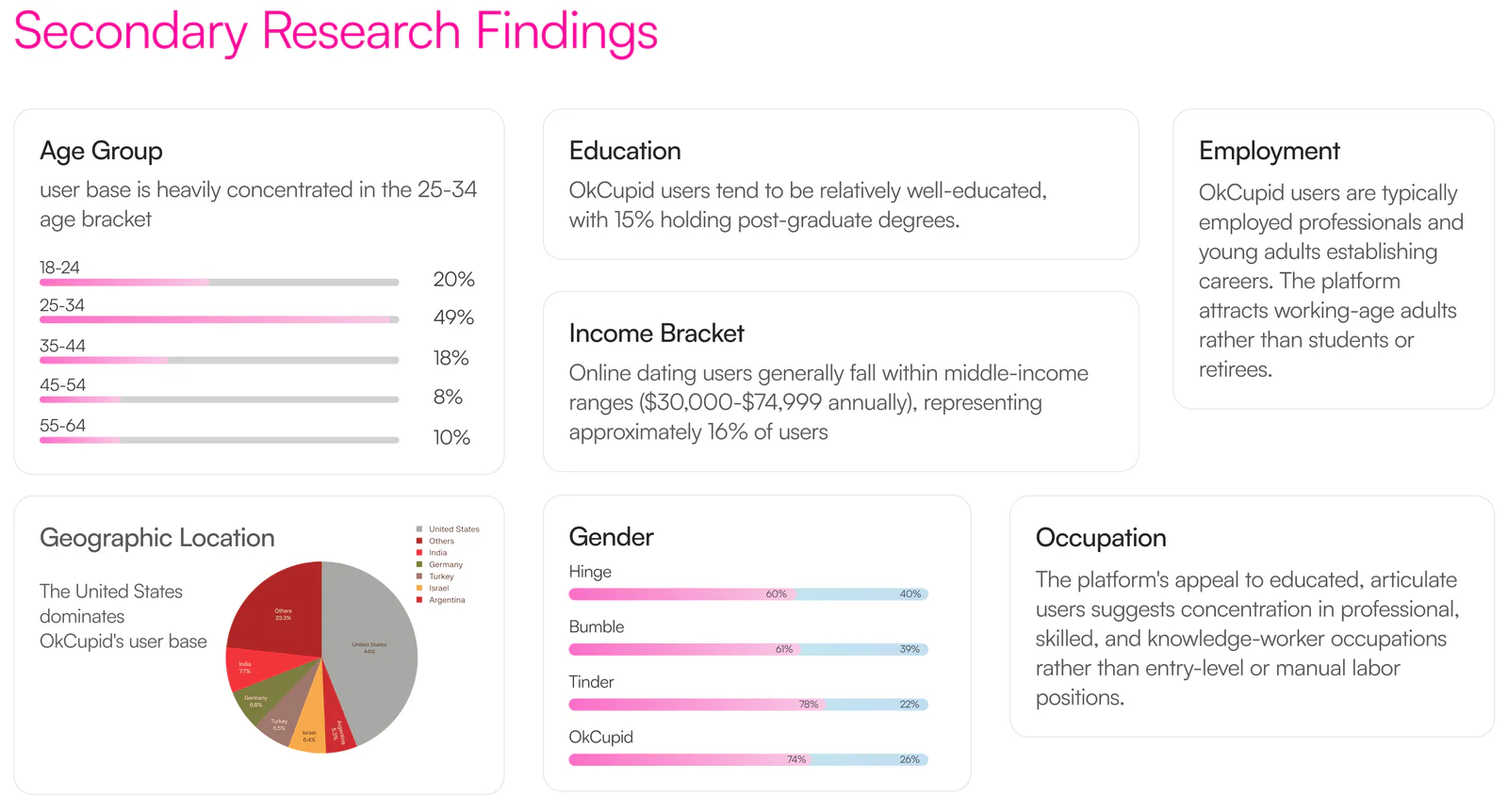
We reviewed customer reviews, Reddit discussions, and competing platforms through a comparative study to understand common user experiences, expectations, and pain points.
Primary research
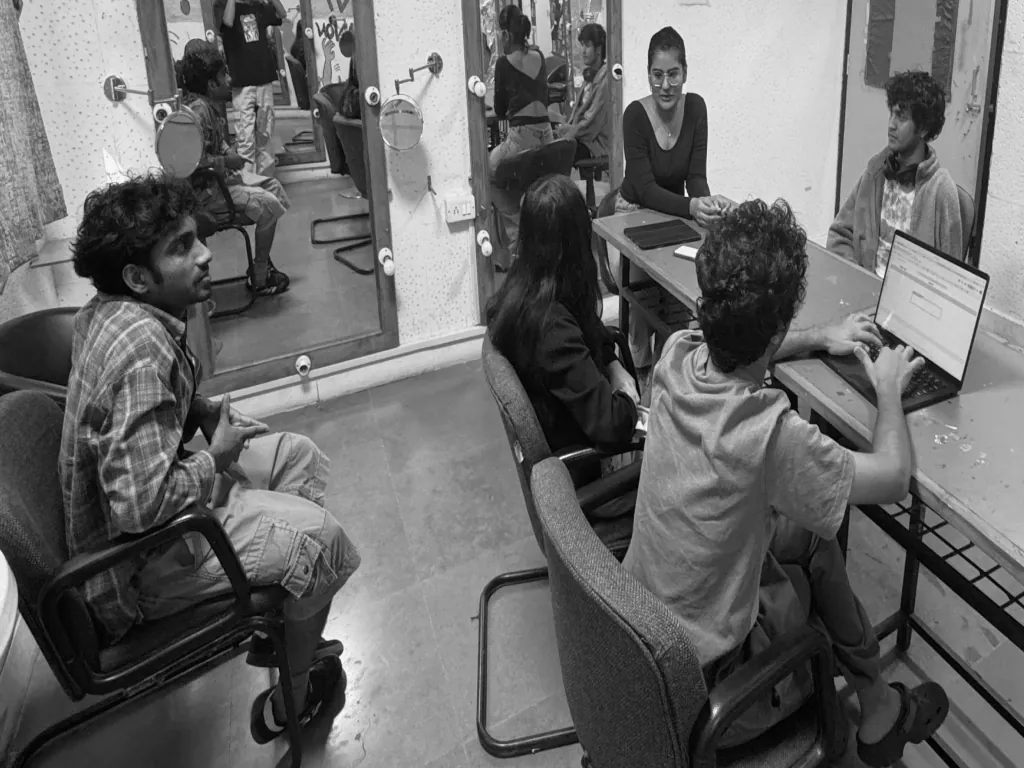
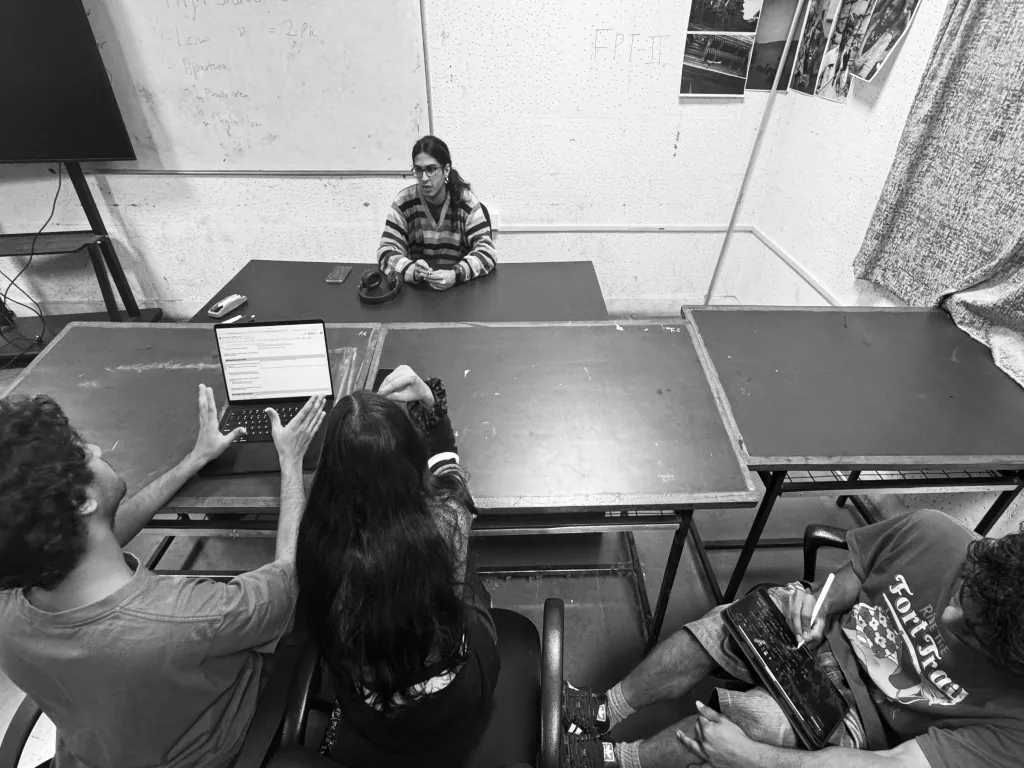
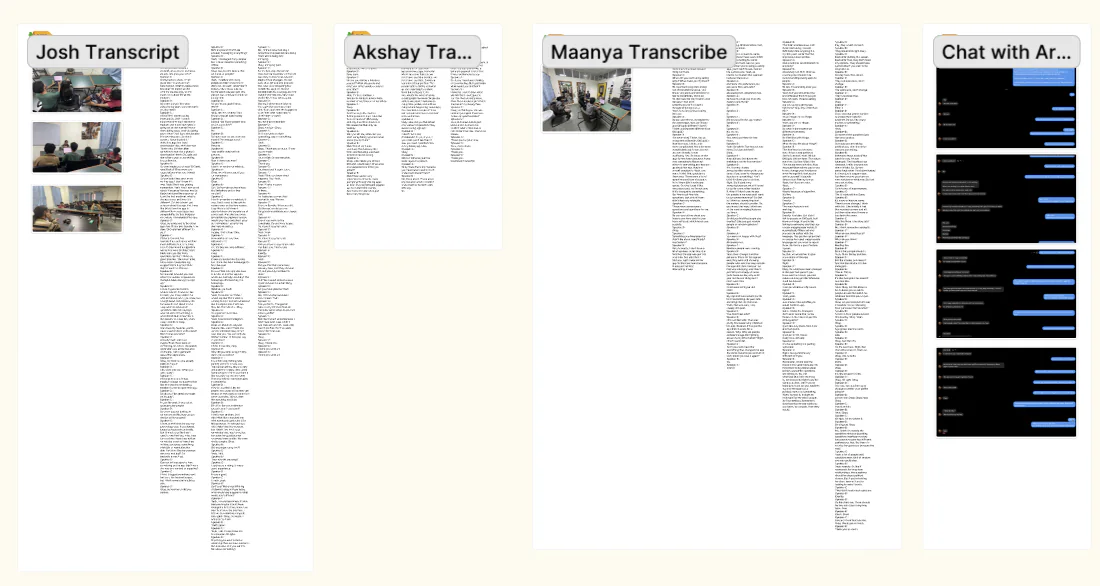
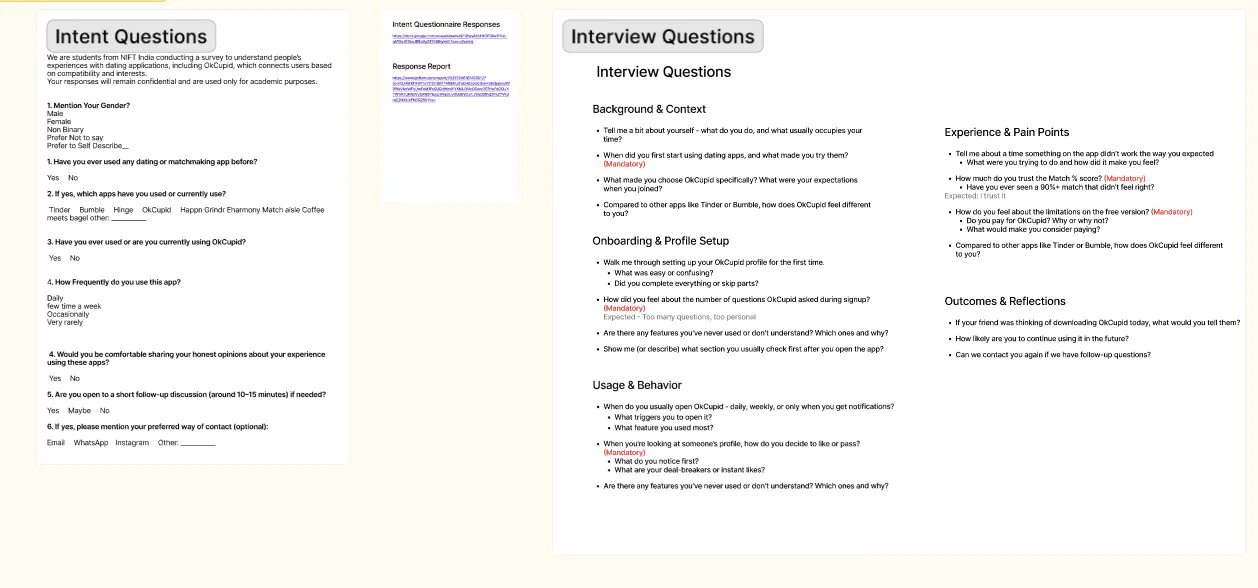
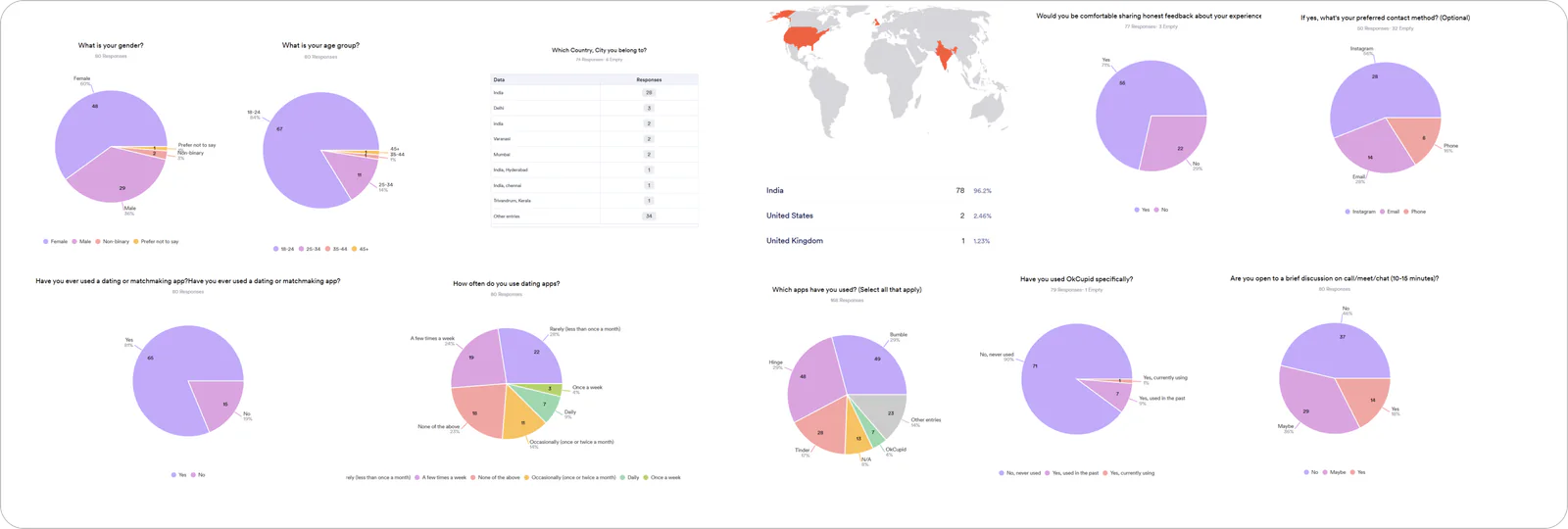
We conducted primary research through user testing, semi structured interviews, and survey.
Conversations took place in person, over calls, and through chat to understand how people use dating apps, what they expect from matching, and where they face friction.
 How do users interpret OkCupid’s matching system?
 What information do users look for before deciding to connect?
 How do users interpret OkCupid’s matching system?
 What makes a match feel relevant or trustworthy?
 Where do users feel confused, restricted, or frustrated?
Learning
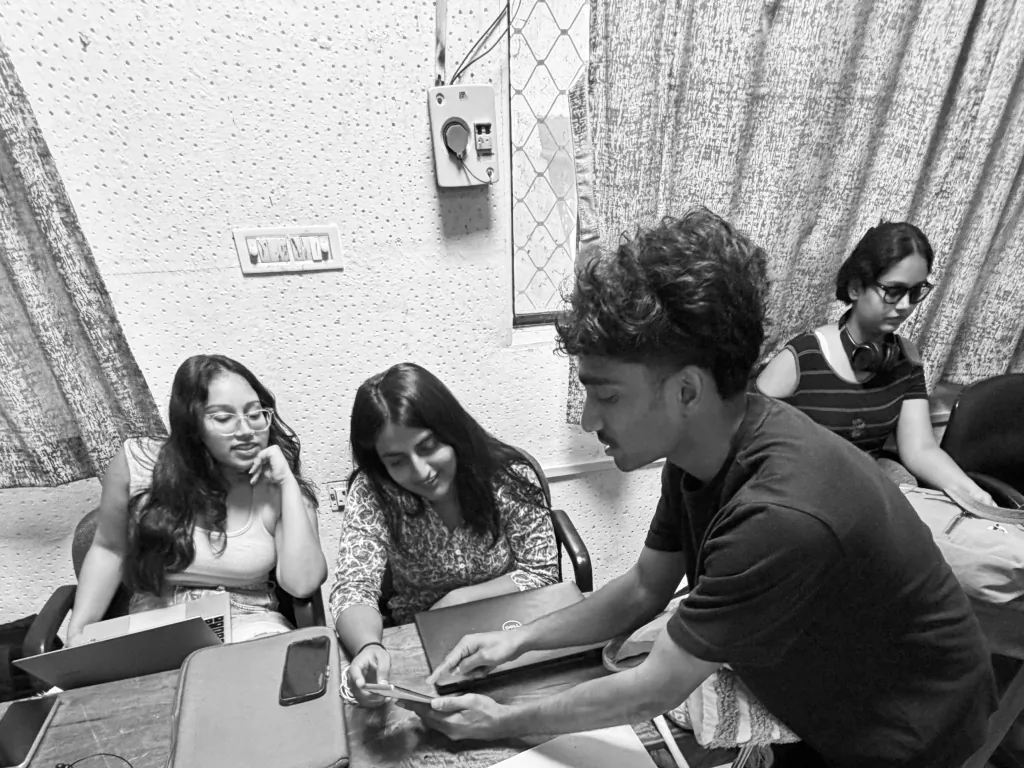
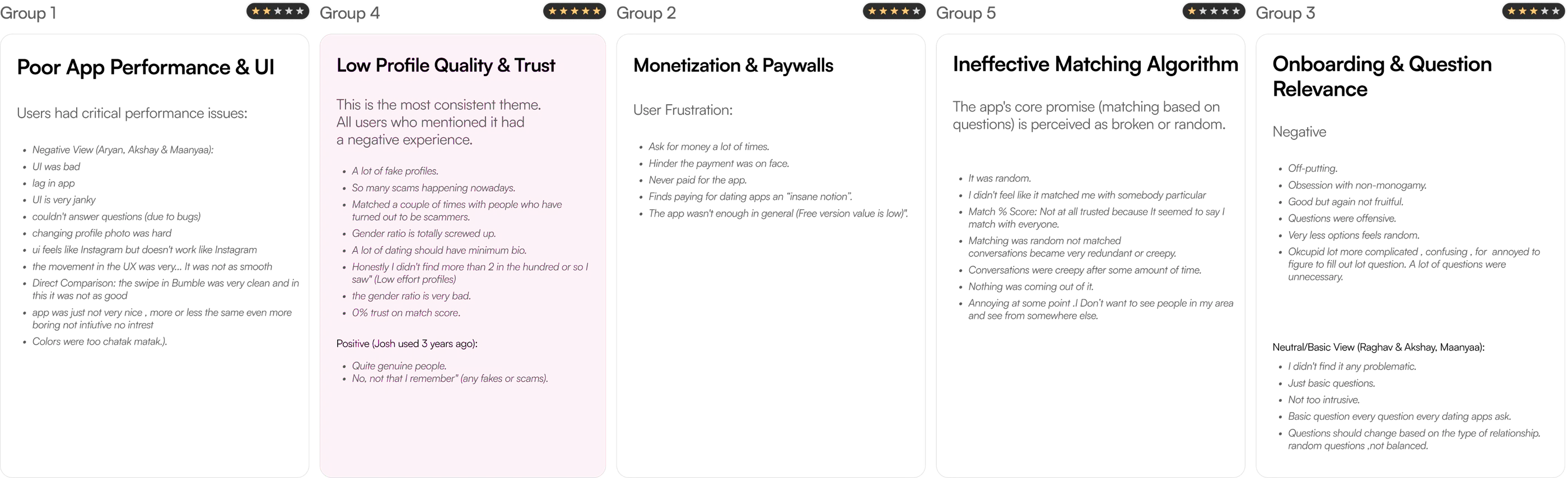
After conduction the user interviews via chat, calls, live session, we arrived at some key insights. We organized these insights into positive and negative affinity cards, and this section presents the key patterns and themes that emerged from that analysis.
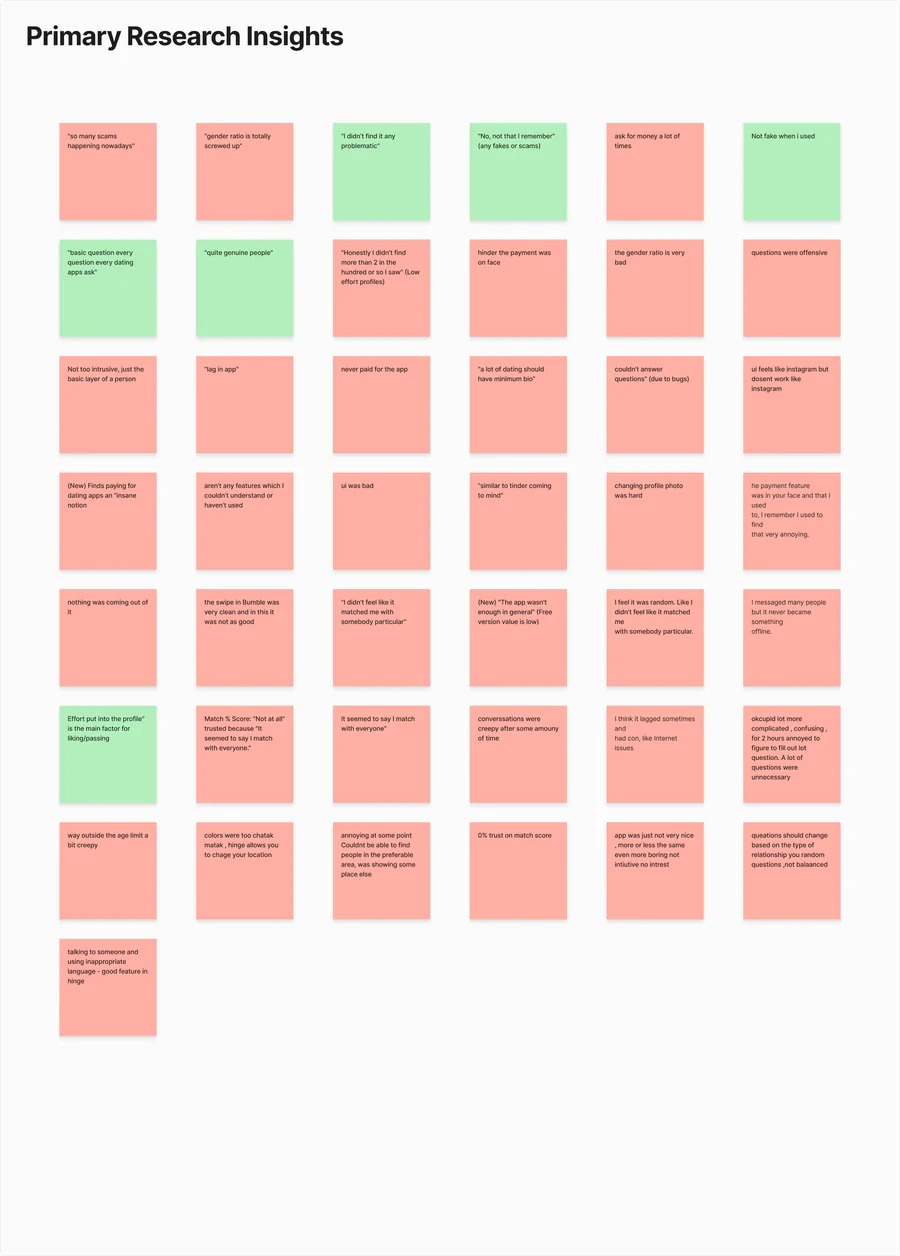
We synthesized our interview data by creating an affinity map. This helped us clearly identify recurring patterns, user behaviors, and pain points, turning scattered research data into organized themes.
Poor App Performance & UI
Most user had issue with ui of the app.
Users were getting confused
Onboarding & Question Relevance
Most user were expiriencing generic and irrelevant questions. Fails to align with user intent.

Low Profile Quality & Trust
This is the most consistent theme. All users who mentioned it had a negative experience.
The Problem
Users do not trust the app’s profile Match Score. This creates a fundamental Trust Gap, as they do not believe the score is a genuine or accurate reflection of compatibility.
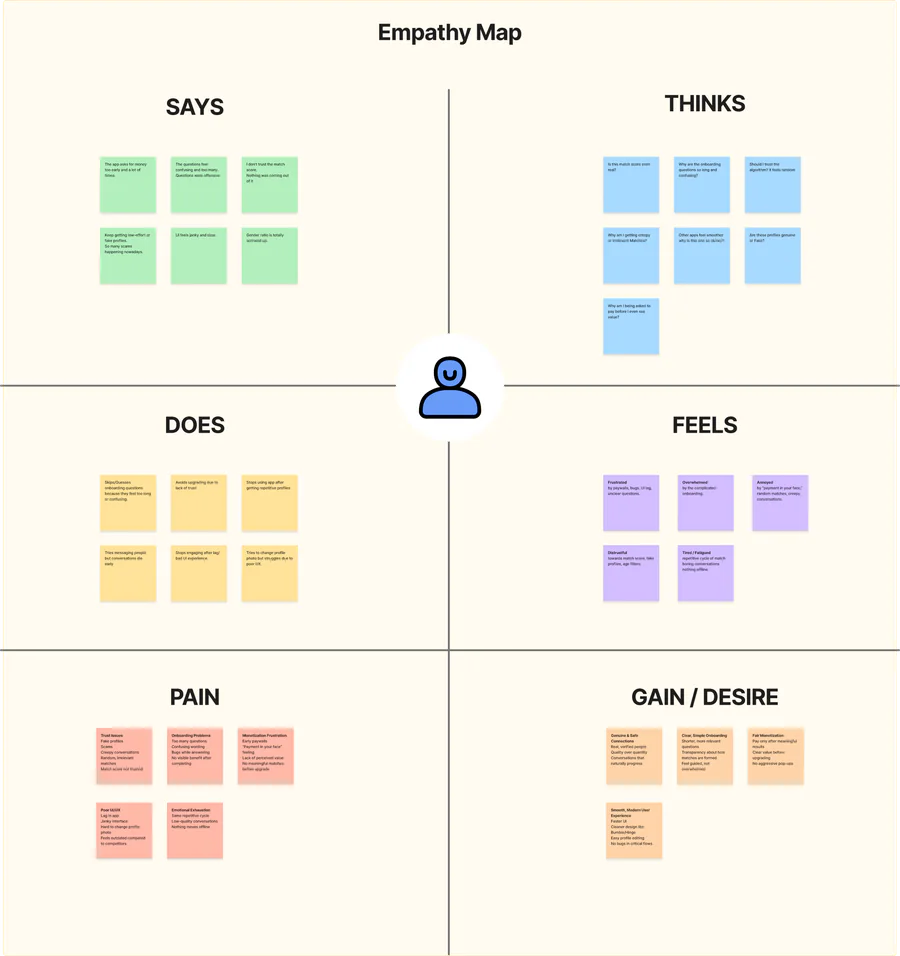
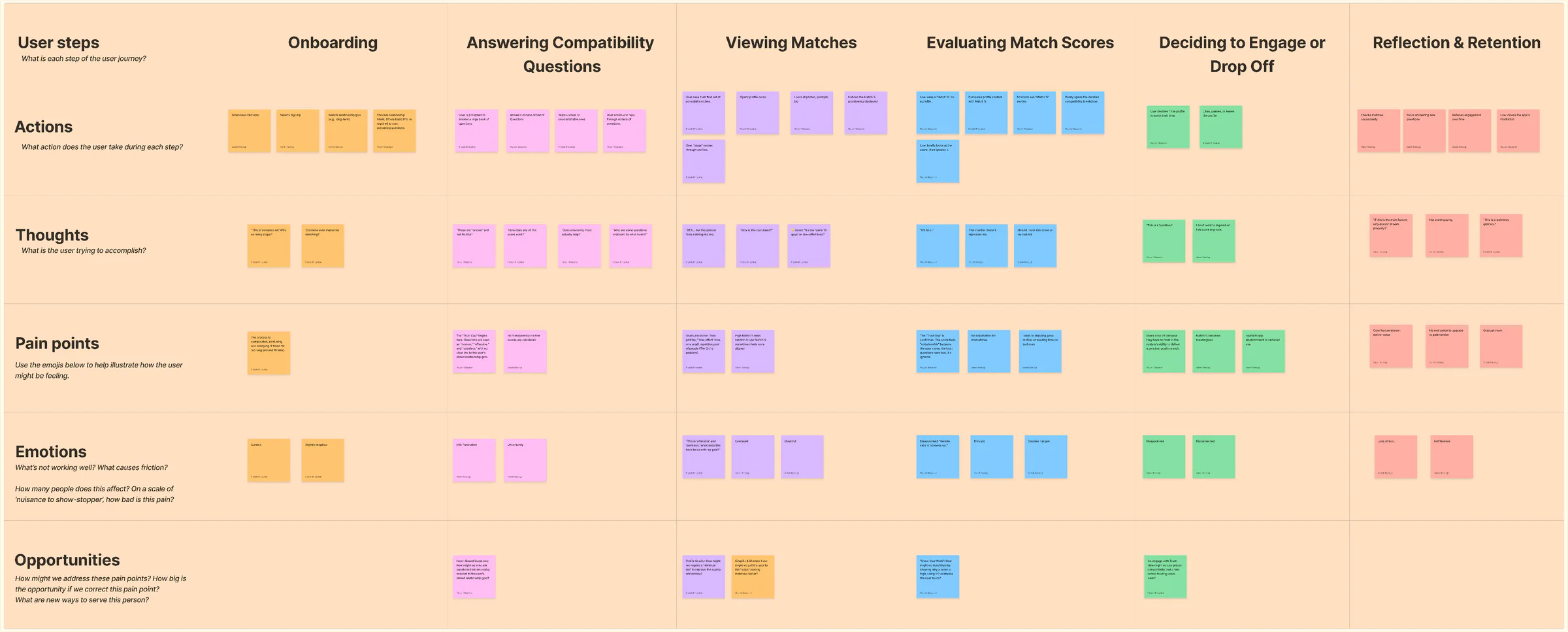
We brought the observations together to identify recurring behaviours, frustrations, and expectations. We used empathy mapping and journey mapping to connect what users said and felt with what they actually experienced across the dating journey.
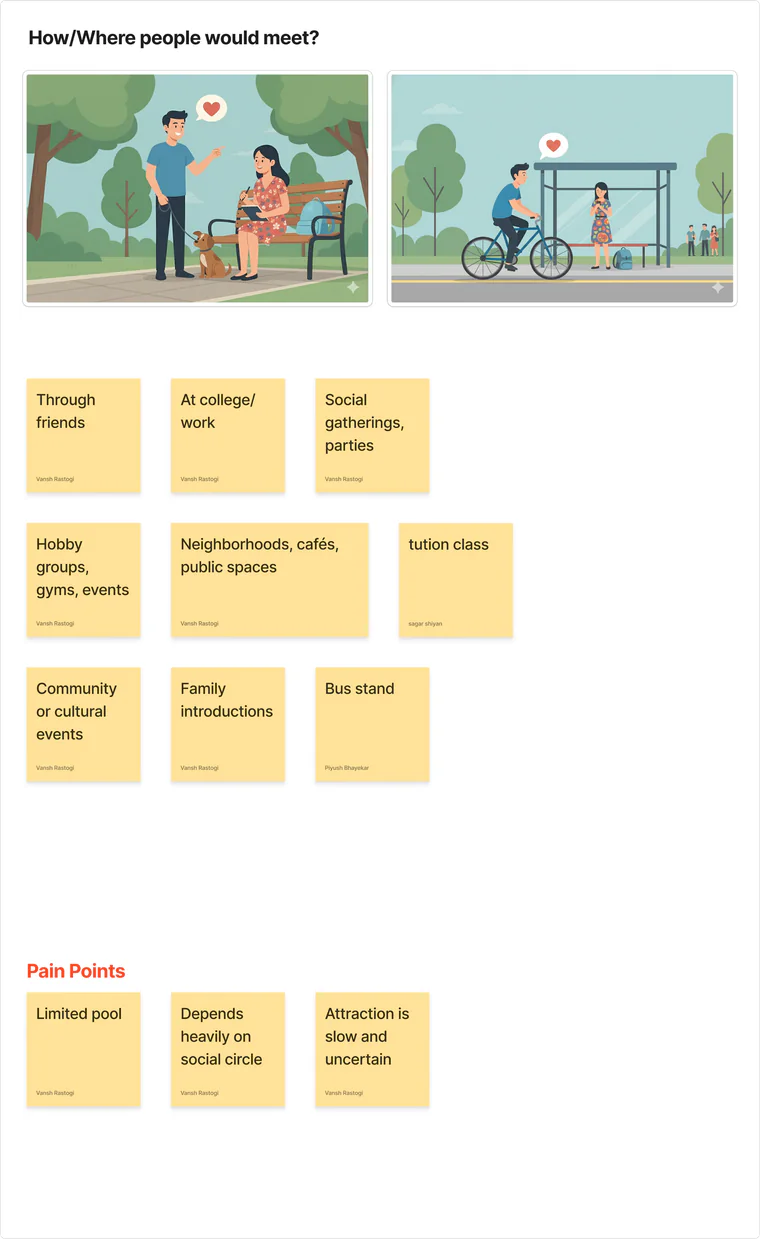
Real-World Exploration
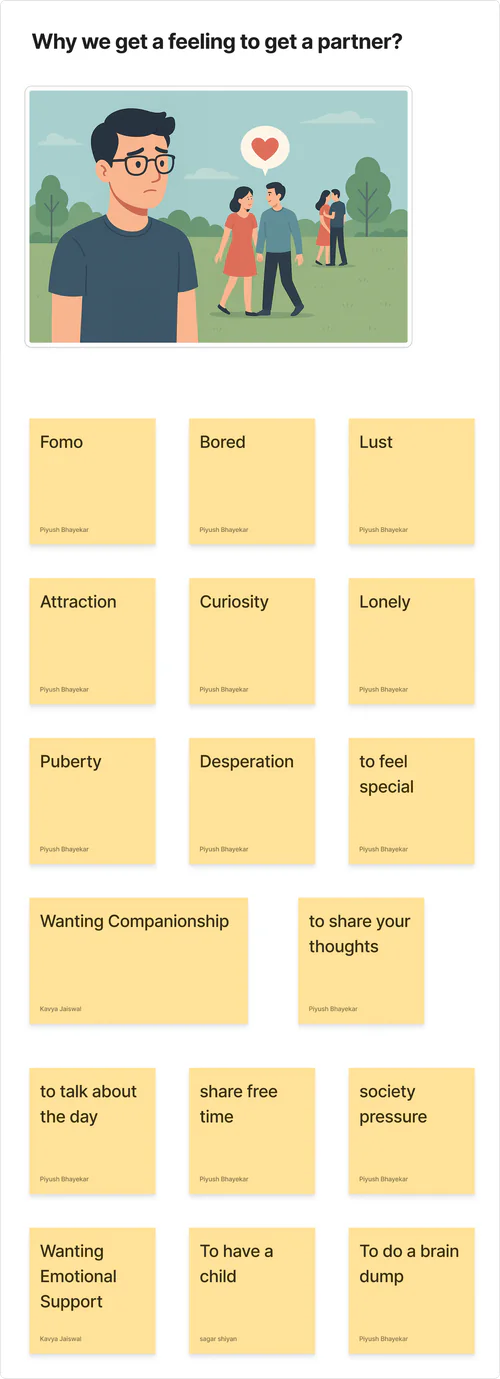
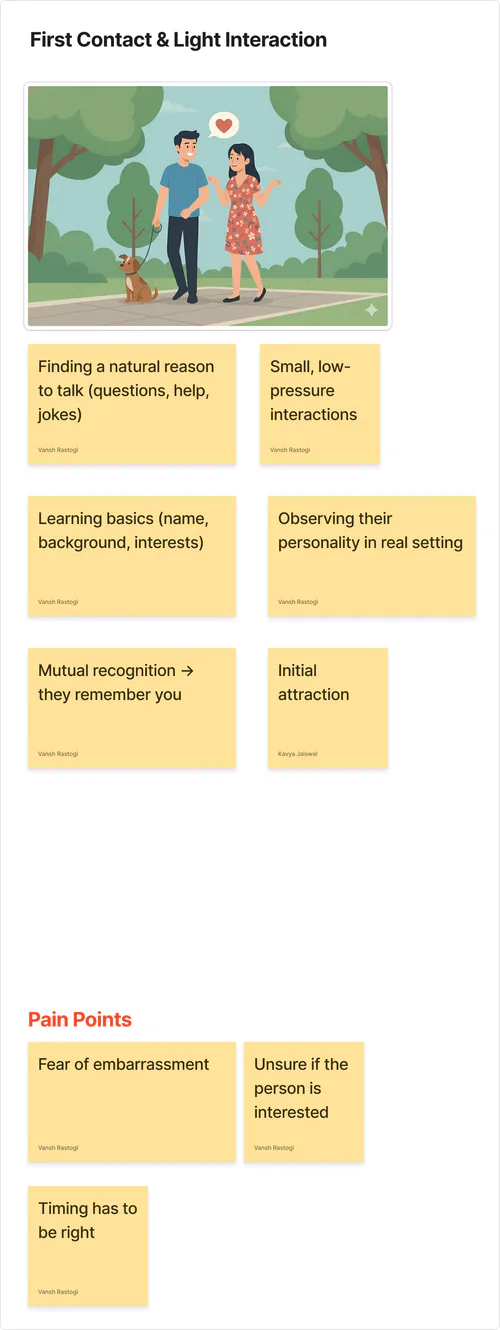
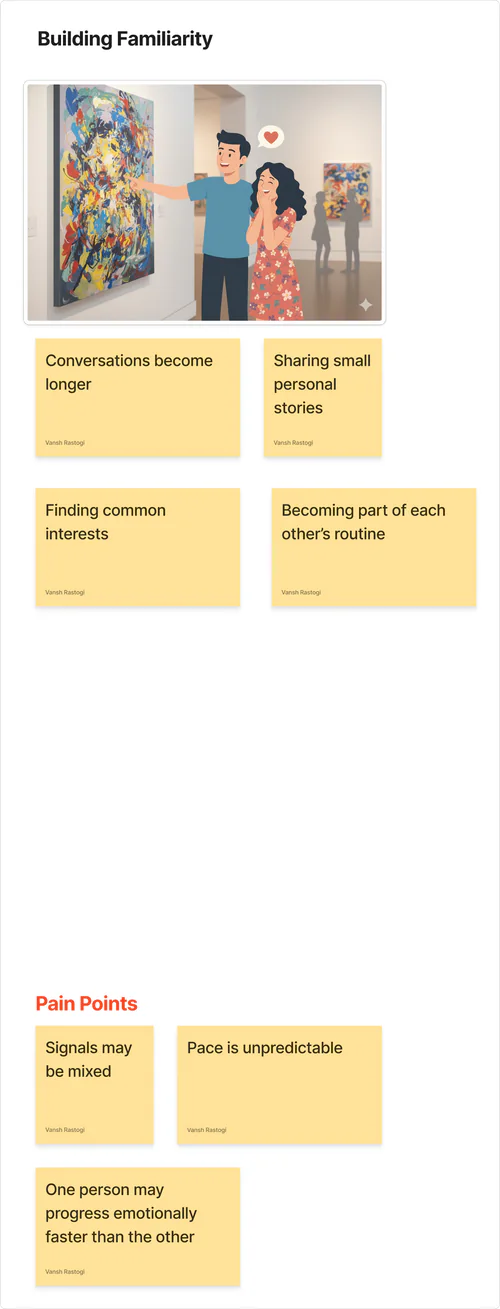
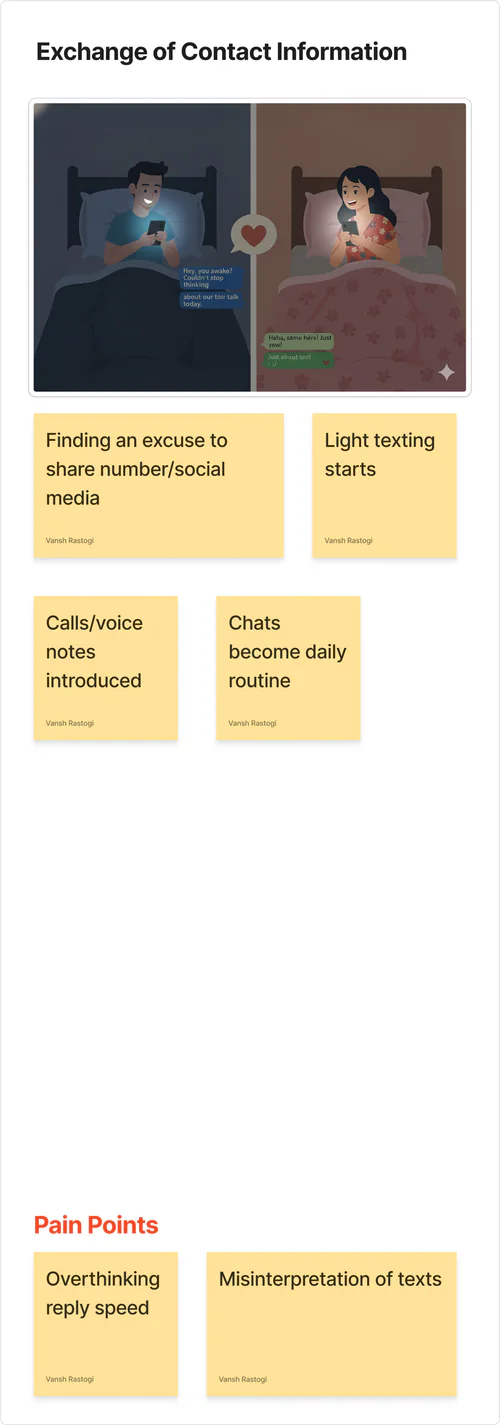
We mapped the real-world dating journey to understand how people notice someone, build interest, learn about them, and eventually decide to meet.
This helped us identify the small signals and decisions that naturally lead from attraction to a first date.
What makes someone interested?
Where do people meet?
What starts the conversation?
How does interest grow?
How does connection continue?
When do they meet intentionally?
How do they know it's mutual?
The date
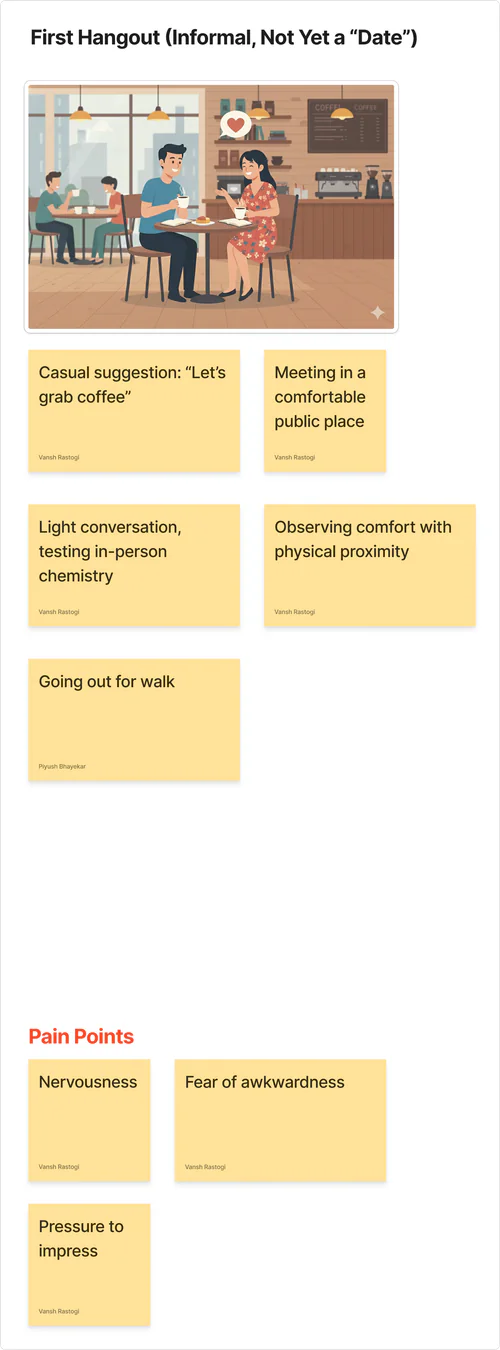
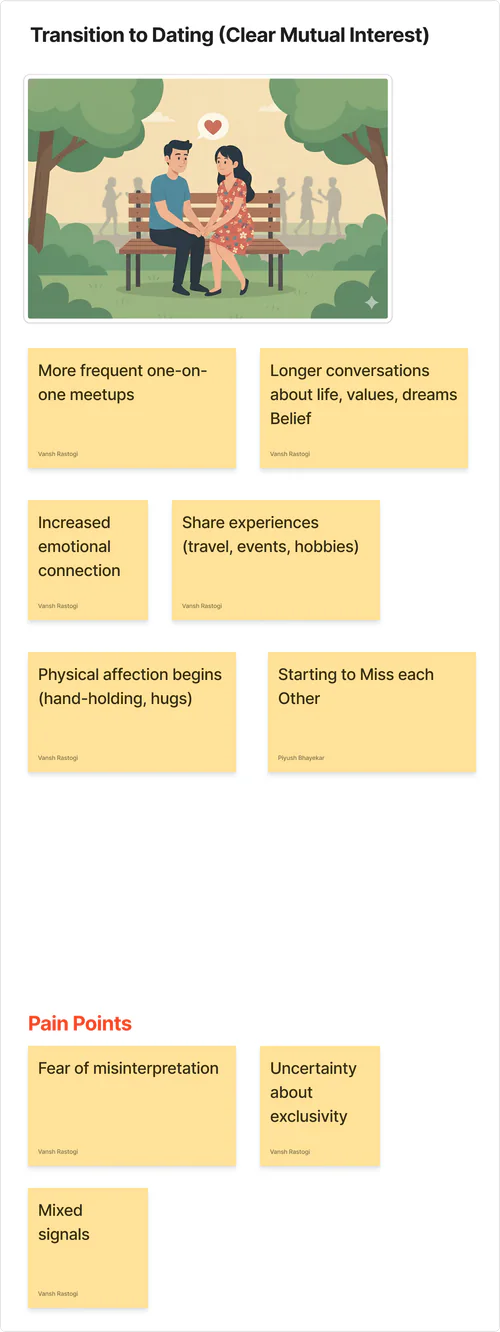
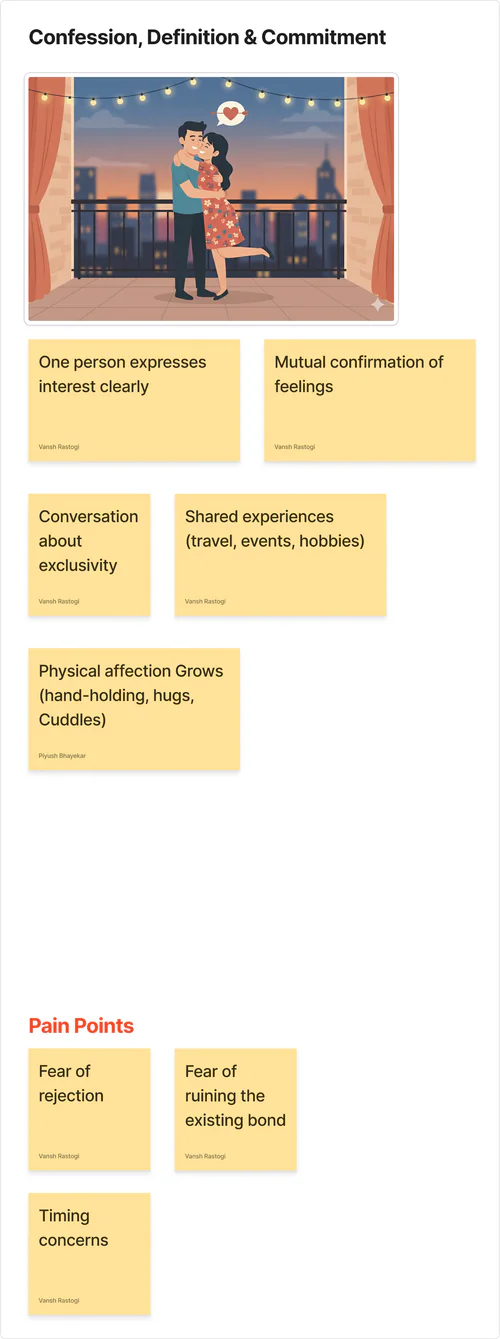
This insight led us to redesign the journey by making onboarding more relevant, improving clarity in matching, and creating a more progressive and trustworthy experience.
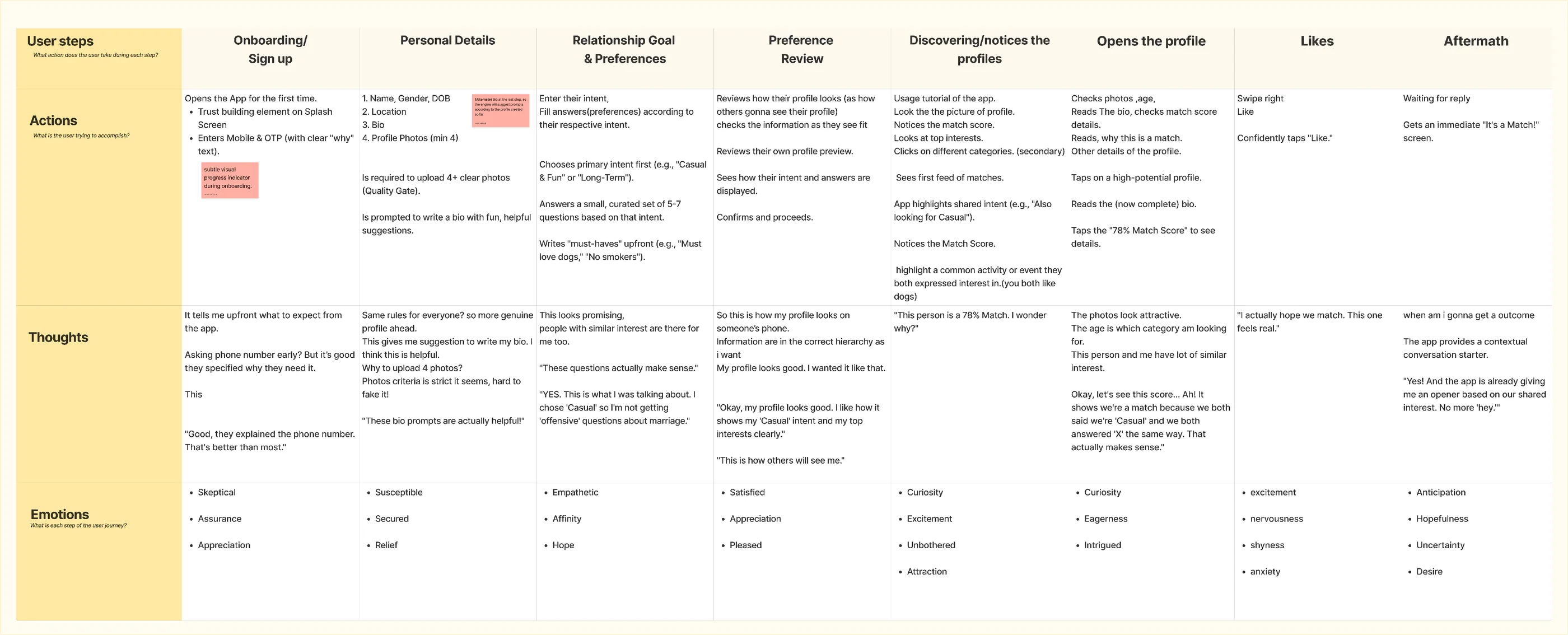
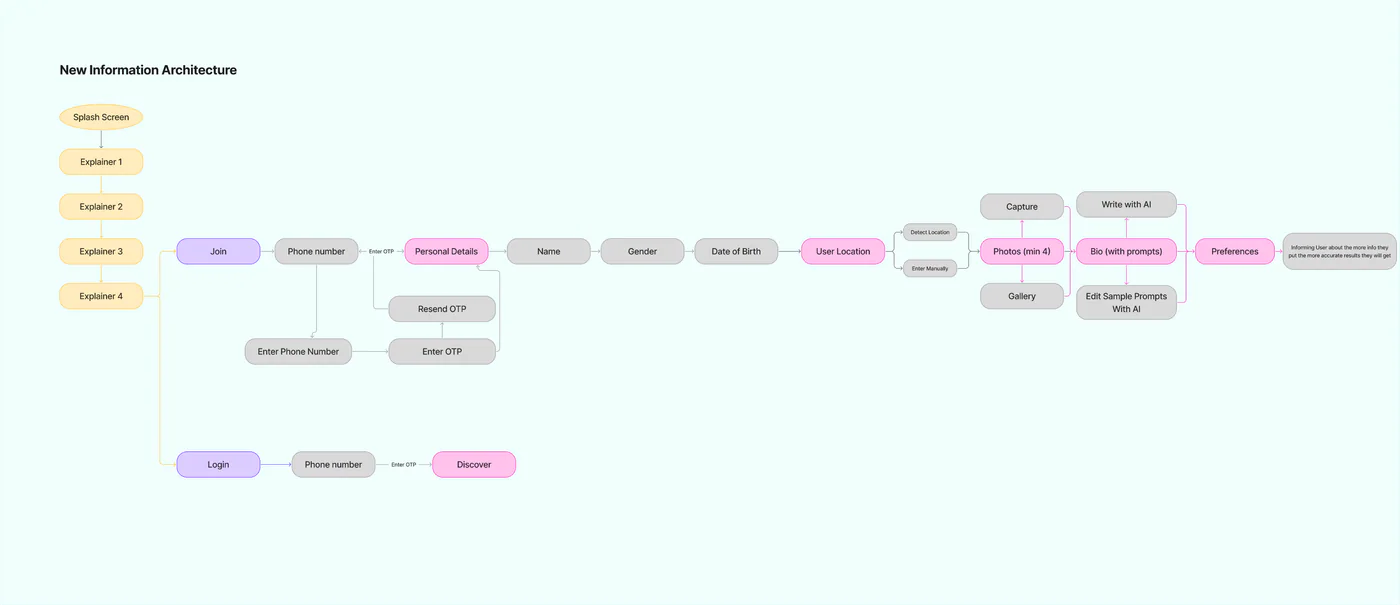
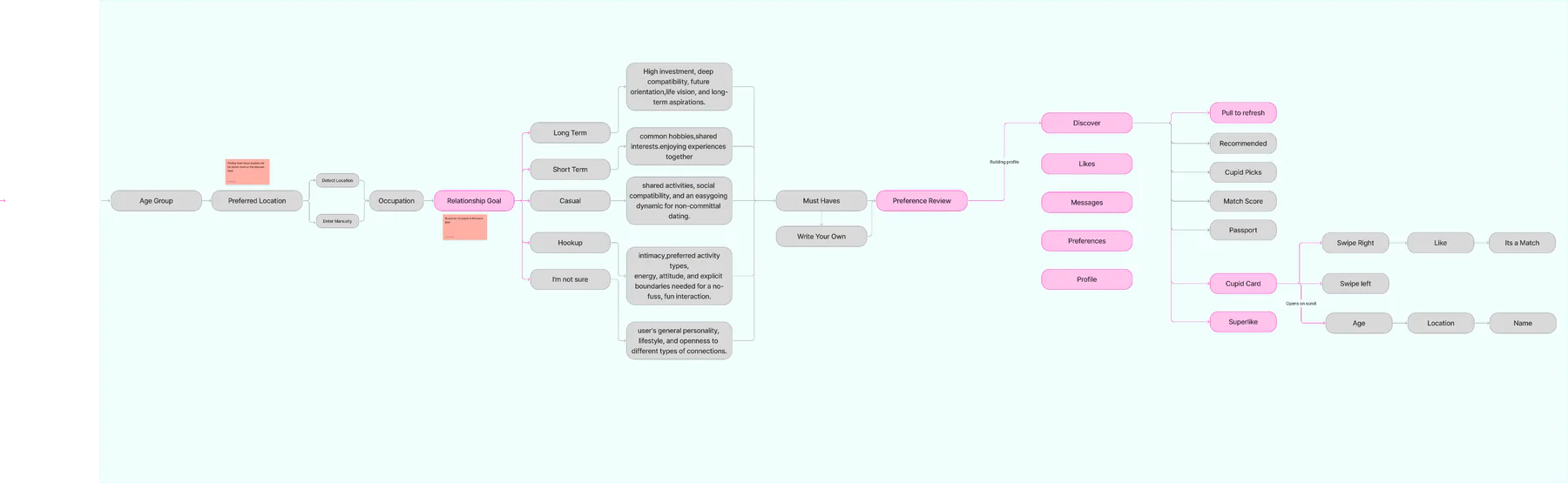
After gathering the insights from the research, we’ve ideated brainstormed the new IA. The goal was the make the app more trustworthy for the user & improve the onboarding experience.
The Redesigned Experience
A redesigned experience that makes onboarding more relevant, profiles more meaningful, and matches easier to understand.
We restructured onboarding into clear steps so users can build their profile progressively
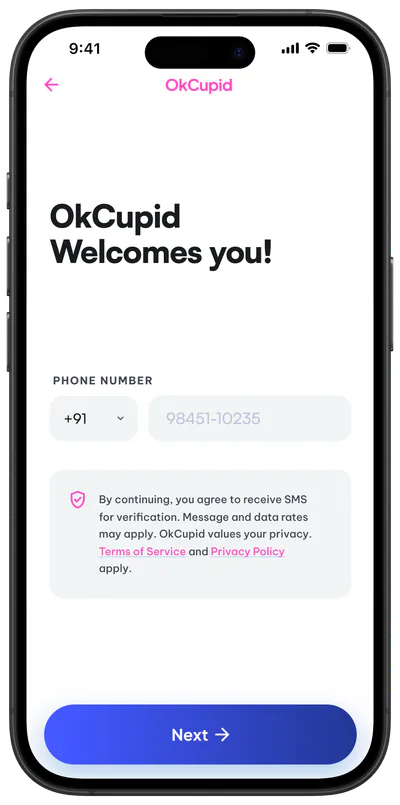
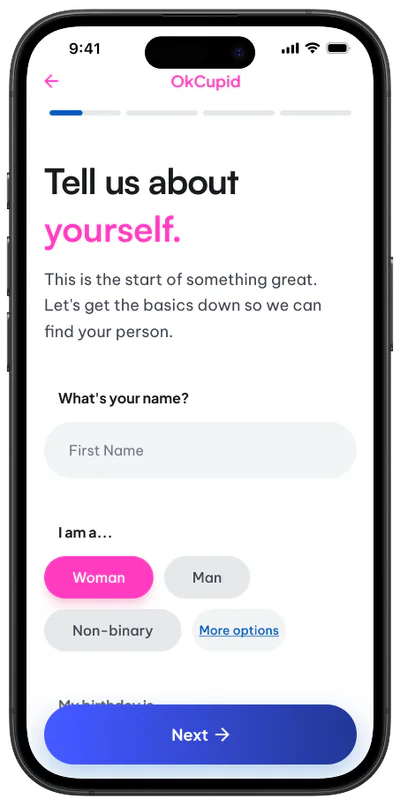
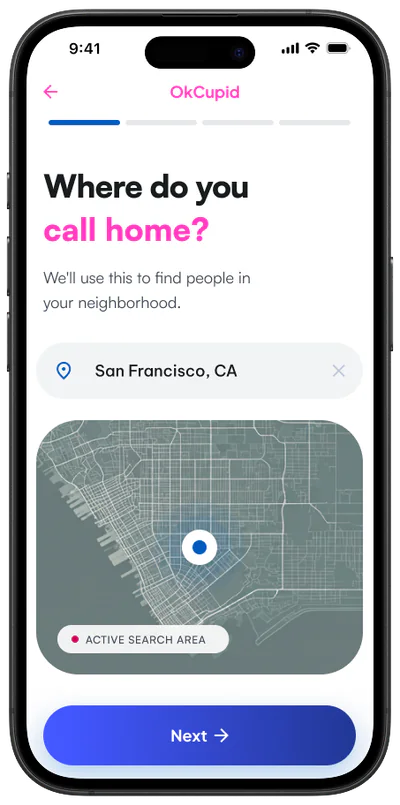
Eg: About Yourself grouped into one single section
AI-assisted bio feature to help users quickly create stronger and more meaningful profiles.
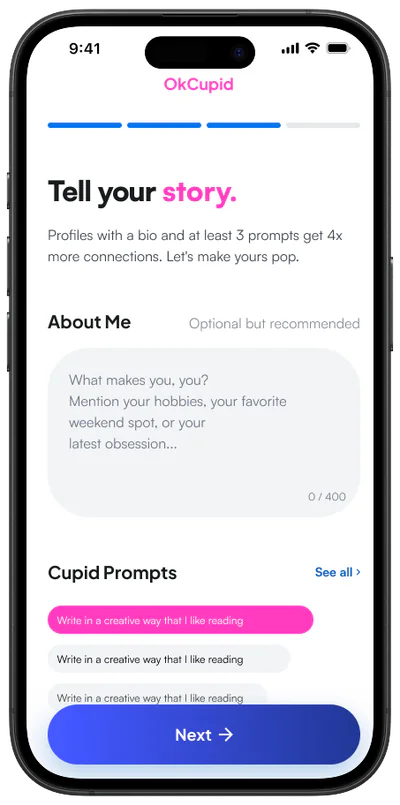
Match relevance was improved by showing how many users share similar preferences and location.
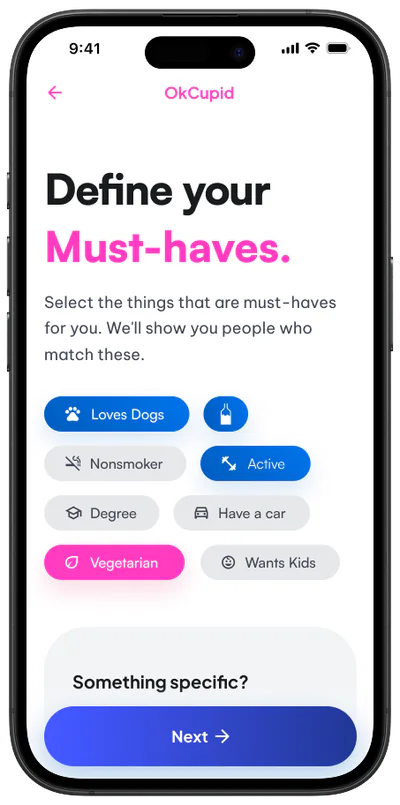
A “Must Haves” section allows users to define key partner expectations early on
Questions adapt to what the user is looking for — long-term relationship, casual dating, friendship, etc.
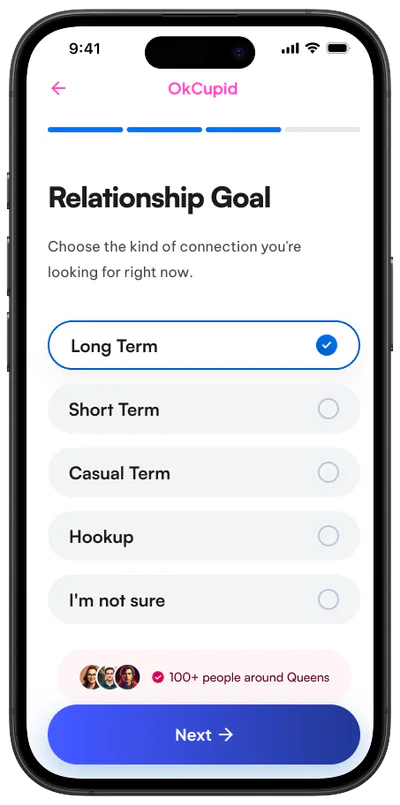

More relevant questions create better matches by focusing on the user’s actual intentions
A final review step allows users to check and edit their profile.
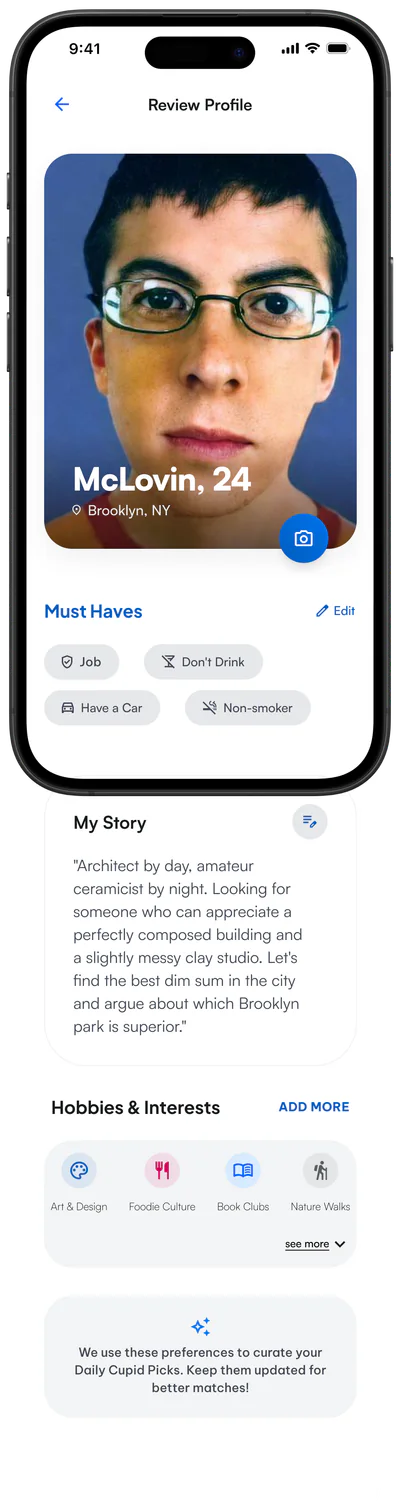
Review step in which you can see how others see you and can edit everything accordingly.
The must have are now visible pinned in the profile card

Pulse Insight
It gives users a more personal sense of compatibility before they explore the full “Why this a Match?”
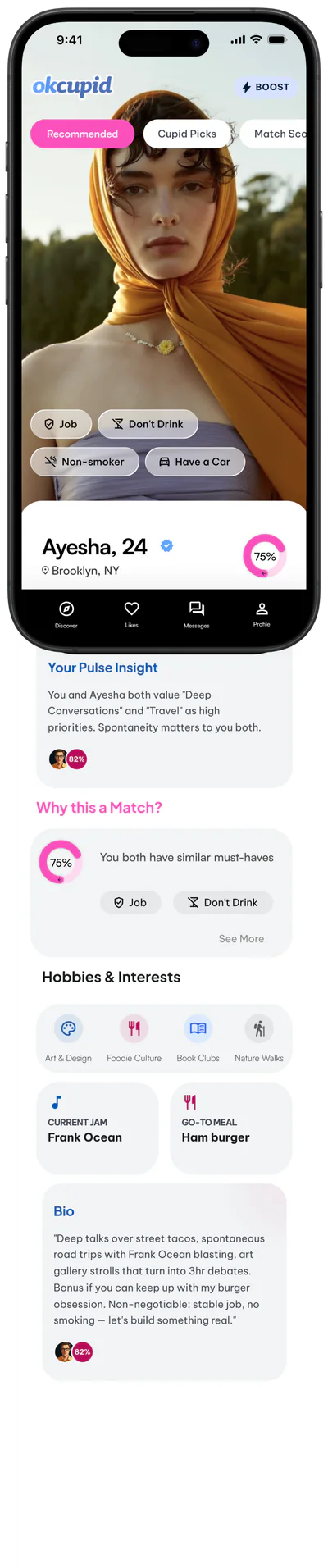
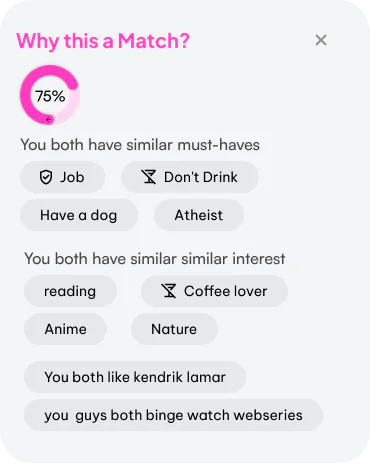
Added “Why this is a match” alongside the match percentage, giving the match percentage more meaning.
We gave much meaning and definition to the must have and why this a match directly onto the profile card, making compatibility easier to see while browsing.
Good design starts with understanding people. User research helped us question our assumptions, identify real patterns, and make more informed decisions. We also learned how important it is to connect different research methods, look beyond the product itself, and translate insights into simple, meaningful design changes.